
Documentation
This documentation is still being edited and may differ from the actual version.
Flet’H(フレトエイチ) (luci-proto-fleth) is an OpenWrt protocol plugin designed for Japanese NGN networks.
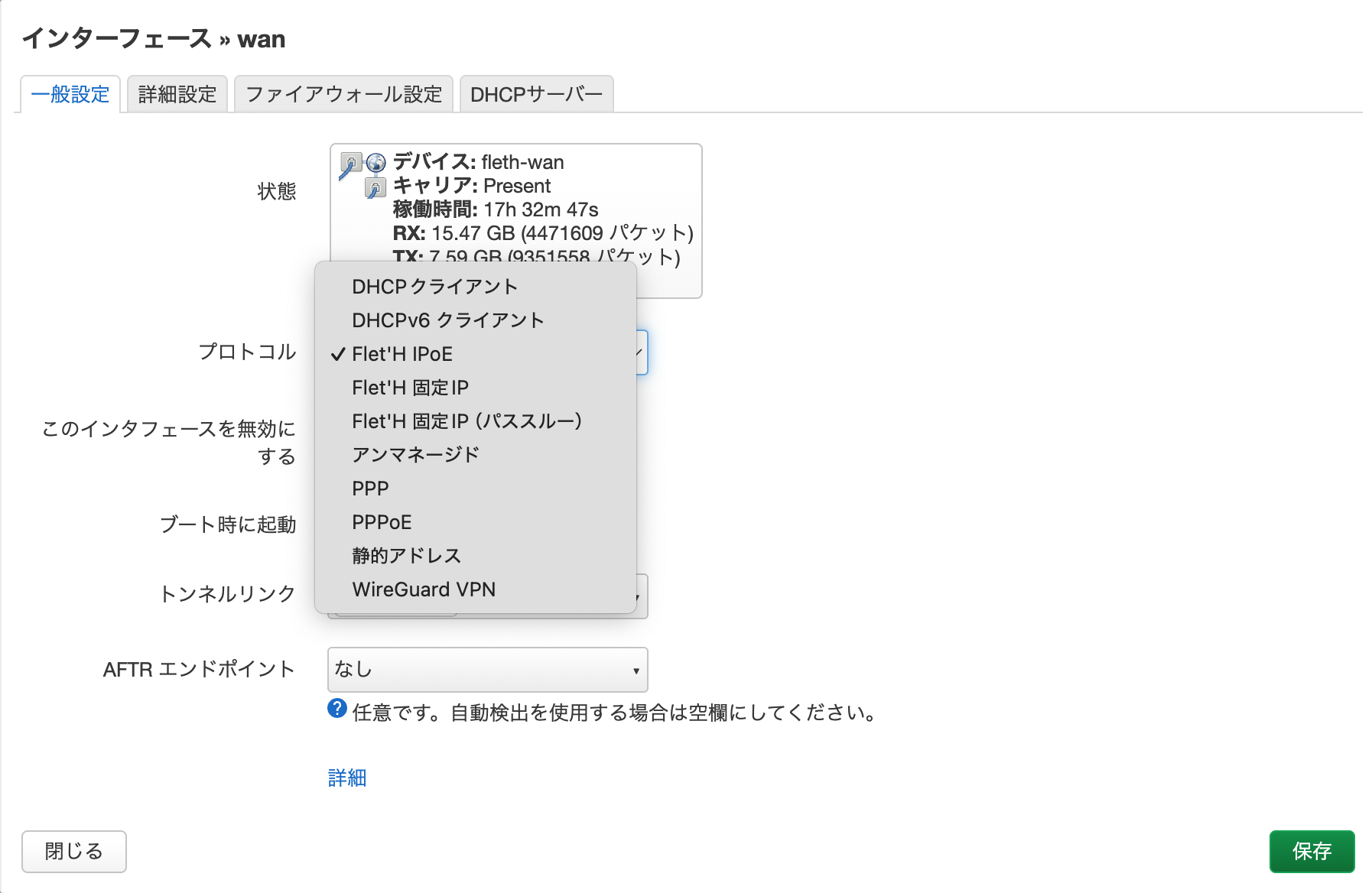
It simplifies complex DS-Lite, MAP-E, and IPIP6 static IP configurations into a simple dropdown menu, much like DHCP or PPPoE.
Key Features
Section titled “Key Features”- ✨ Zero-config Auto-detection: Simply select
Flet'H IPoE, and the plugin will automatically detect your line environment and apply the correct tunnel configuration. - 🚀 Broad Compatibility: Supports major Japanese providers such as v6Plus, transix, OCN Virtual Connect, v6connect, and CrossPass (XPASS).
- 🛡️ Perfect NAT Loopback: Solves the common ISP router issue where internal services cannot be accessed via public domains/IPs. Access your NAS or server from within your home seamlessly.
- 🔧 Deep LuCI Integration: Configurable entirely within the standard OpenWrt interface (LuCI). Forget about SSH or manually typing complex configurations.
- 📦 Effortless Installation: No need for manual compilation; install and update quickly via the official package repository.
Is This For You?
Section titled “Is This For You?”Are you still putting up with the mediocre performance and limited features of the Home Gateway (HGW) rented from your ISP?
Flet’H is the tool you need to take back control of your network if you fit these scenarios:
- Scenario A: Ditch the Mediocre HGW —— You want to put that weak Wi-Fi, unconfigurable HGW back in its box and use your OpenWrt router to dial in directly, gaining full control over your firewall and routing.
- Scenario B: Maximize Connectivity —— You want to utilize all available ports in MAP-E (e.g., v6Plus) for port forwarding and enjoy a perfect NAT Loopback experience.
- Scenario C: Clean & Automated —— You are tired of manually configuring complex firewall and routing rules and want a solution that runs like a native protocol, detects your line automatically, and handles reboots gracefully.
Next Steps
Section titled “Next Steps”- Before Install: Network —— (Recommended starting point) Ensure your
wan6interface is ready. - Install Flet’H —— Install the plugin via LuCI or the command line.
- Classic Setup Flow —— Complete the final step to get online.
Support & Basics
Section titled “Support & Basics”- Troubleshooting: Start here if IPv6 is missing, provider detection fails, or MAP-E ports do not work.
- OpenWrt Basics: New to OpenWrt? Learn about the interface and basic operations here.
- LAN IPv6 Basics: Use this when
wan6has IPv6 but PCs and phones still have no network.